Your personalized flashcards,memorize faster.
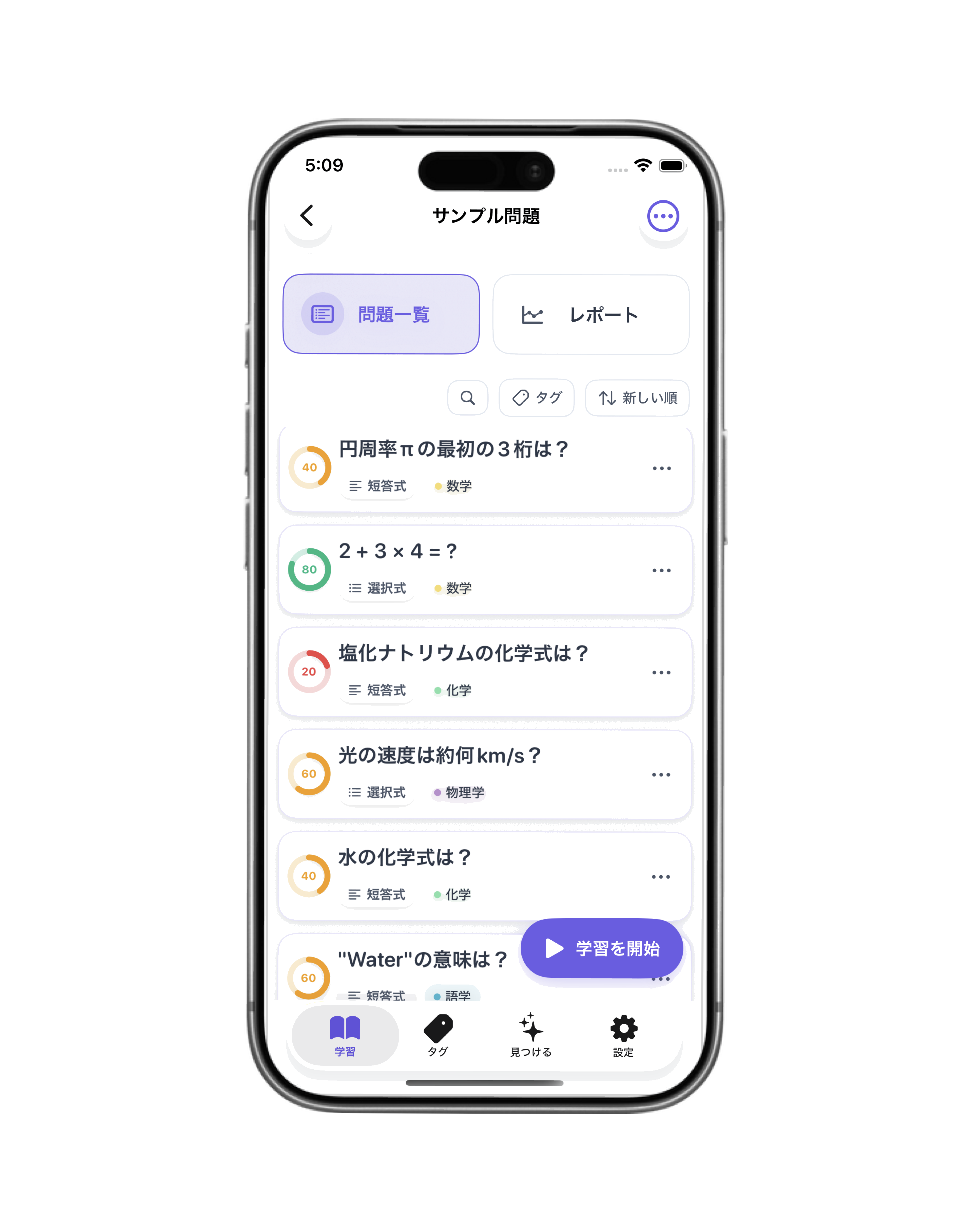
Osarai is a flashcard app designed to help you efficiently memorize the questions you create. Vocabulary, terminology, certifications, exam prep. It automatically visualizes your understanding and retention based on the cards you create.
Features
Eliminate "I think I know it"
- Create your own vocabulary and flashcard decks
- Bulk import from CSV or spreadsheets
- Auto-track accuracy, study count, and last studied date
- Focus on difficult questions efficiently
- Text-to-speech support
- Ad-free, simple, distraction-free UI
Latest Updates
公式Webサイトをリリース
Oct 17Osarai(おさらい)の公式Webサイトを公開しました。アプリの主要機能やロードマップをご確認いただけます。
Focused learning sessions with intuitive gestures
A gesture-based interface designed for your palm. Customize your sessions to match your learning style and capture those breakthrough moments.
3D Flip Cards
Tap to reveal answers, swipe to show understanding. Supports text, images, multiple choice, and voice reading for any learning style.
Smart Queue
Learns from your performance to prioritize what needs review. Skip forward or back with ease—no gaps in your learning journey.
Flexible Sessions
Set your pace with custom question counts, time limits, and shuffle options. Build sessions that work with your schedule.
4-Stage Reminders
Review suggestions at 20 minutes, 12 hours, 1 day, and 3 days. Your swipe gestures automatically adjust the next review timing.
Powerful Free Features
Create unlimited decks, add images to questions, organize with tags, and access all core learning tools—completely free.
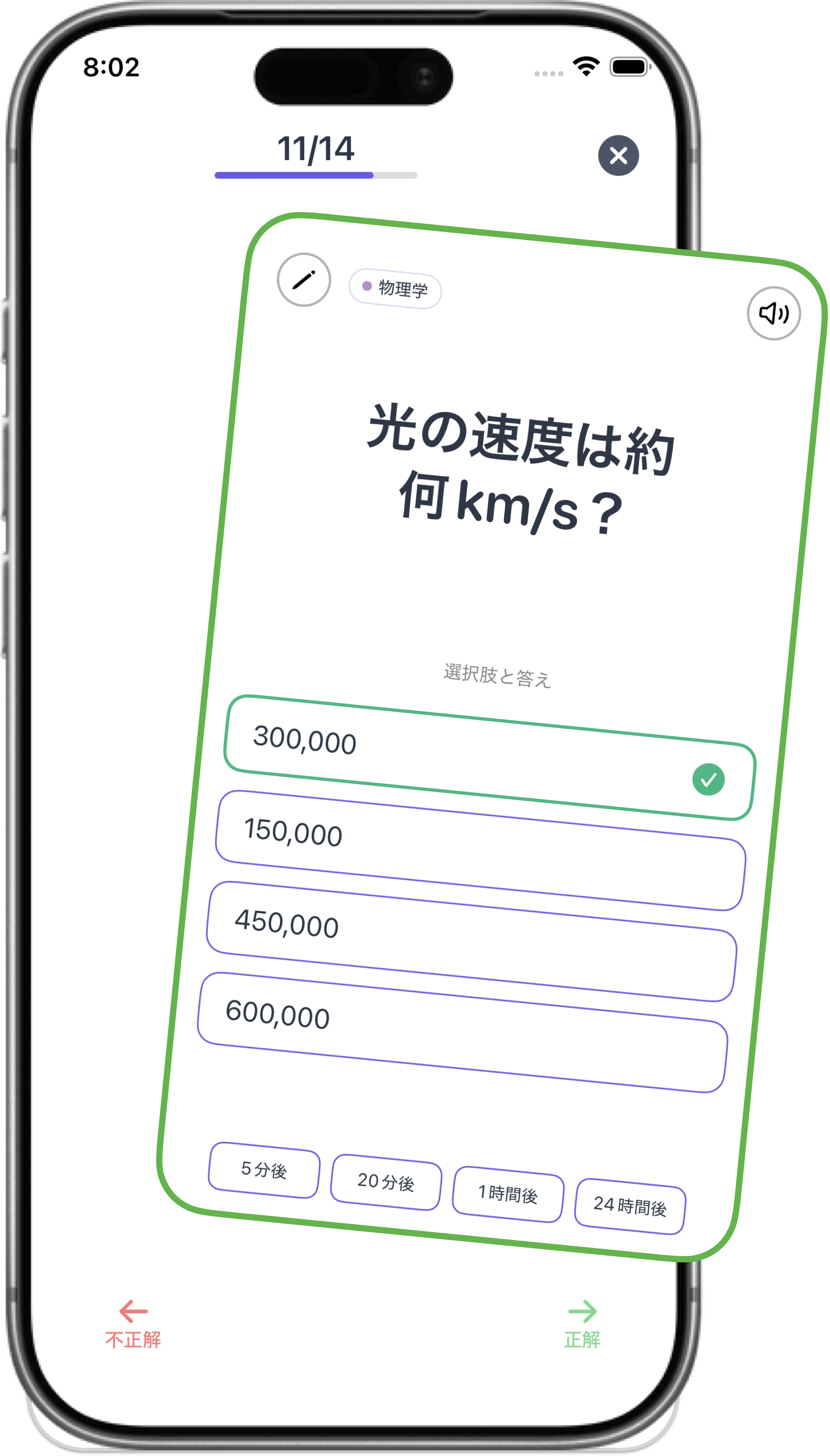
Gesture controls and progress display
Organize your knowledge without breaking focus
Structure your learning materials with folders, decks, and tags. Powerful management tools that let you organize and access everything effortlessly.
Hierarchical Folders
Create folders within folders and organize decks. Breadcrumb navigation prevents getting lost in deep hierarchies. Drag & drop for easy organization.
Deck Management
Create, edit, and duplicate decks smoothly. View question count, last study date, and folder membership at a glance with search and sort. Tag questions for flexible learning across deck boundaries.
Question Editing
Edit text, images, choices, and tags. Bulk edit multiple questions and reference history and accuracy rates.
Import from AnkiWeb
Compatible with Anki's Basic format (text, notes, tags, images). Easily import your existing study data. *Audio/video not yet supported
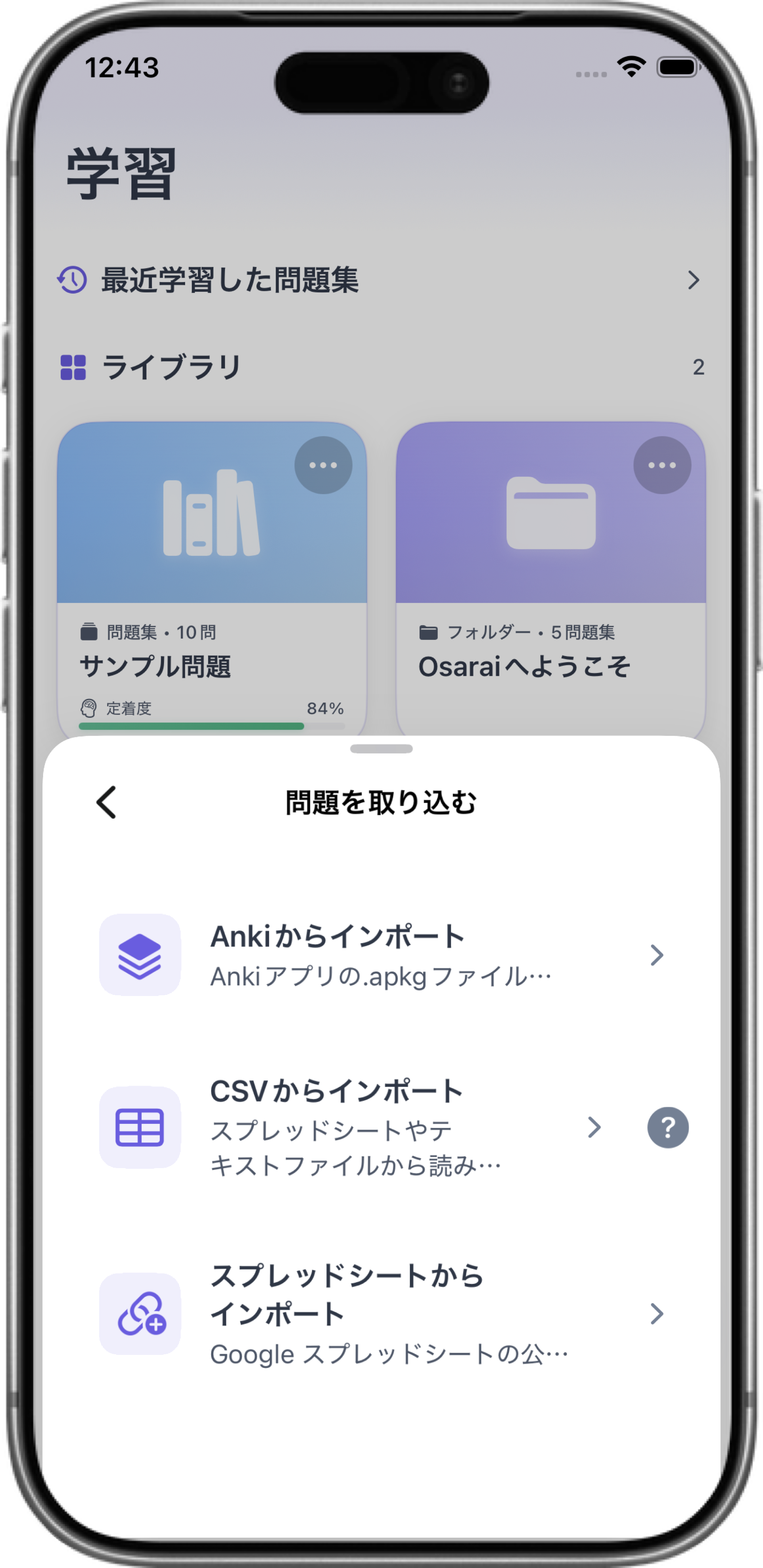
Import and data management
See your progress in real numbers
Track everything from individual sessions to long-term trends. Understand your learning patterns with detailed analytics—essential insights included free, advanced features available with Pro.
Learning Reports
Automatically visualize session results including accuracy rates, study time, and mode types. Filter by period and mode.
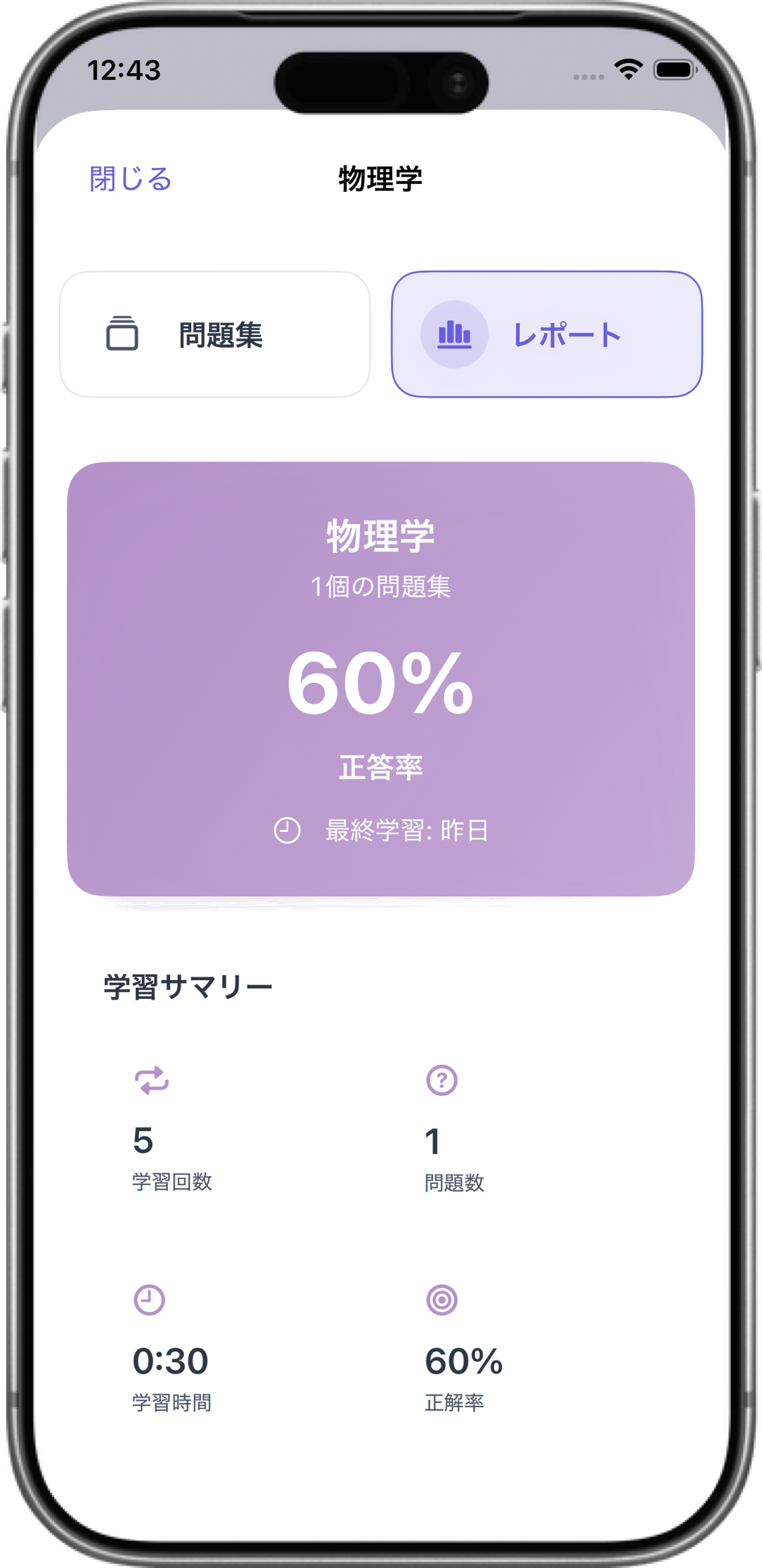
Deck & Tag Analytics
Statistical cards and charts show understanding progress and weaknesses by deck or tag. Check learning patterns by time of day.
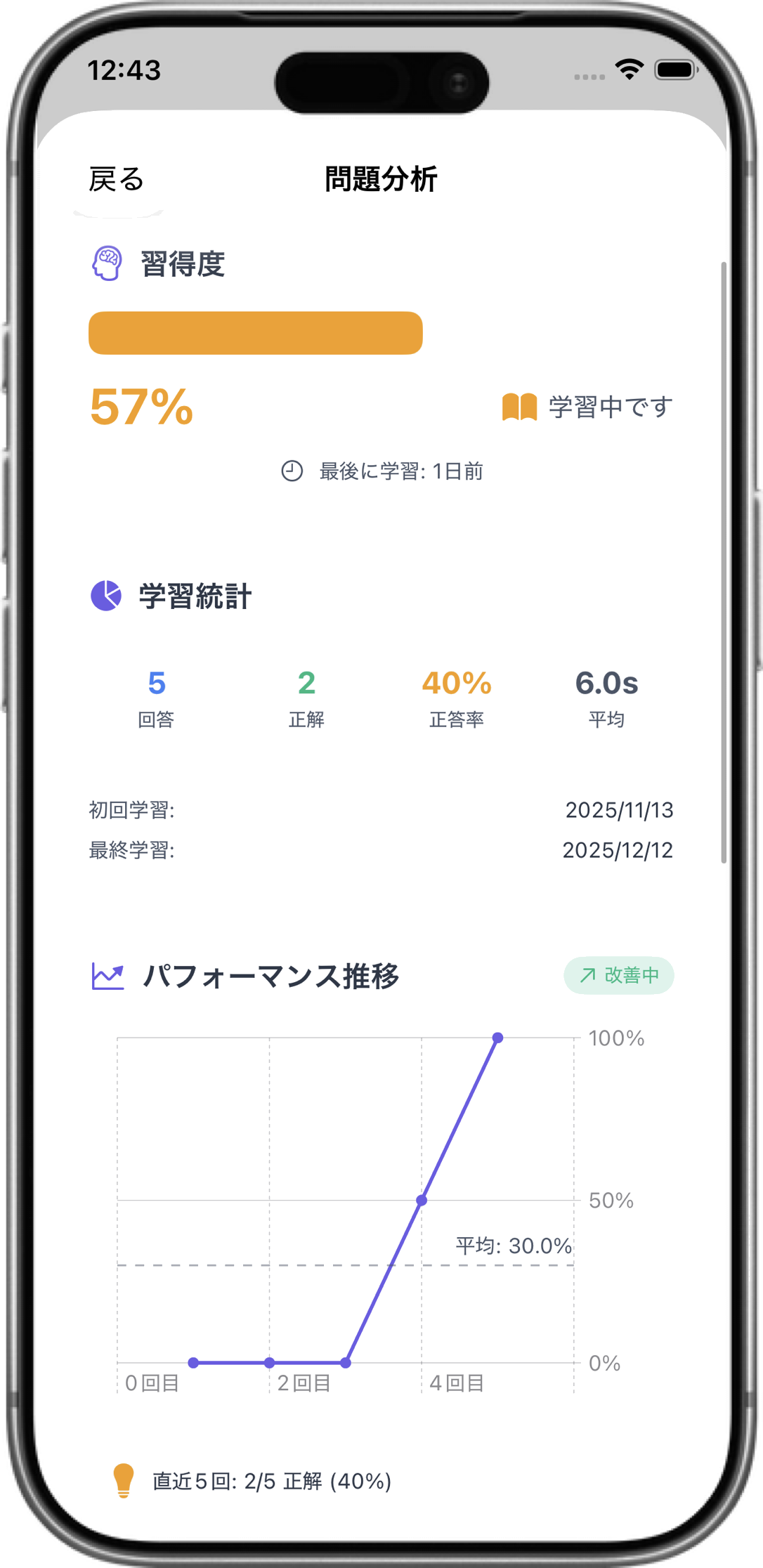
Question-Level Analysis
Track accuracy rates and learning history for individual questions. Identify difficult problems for efficient review.
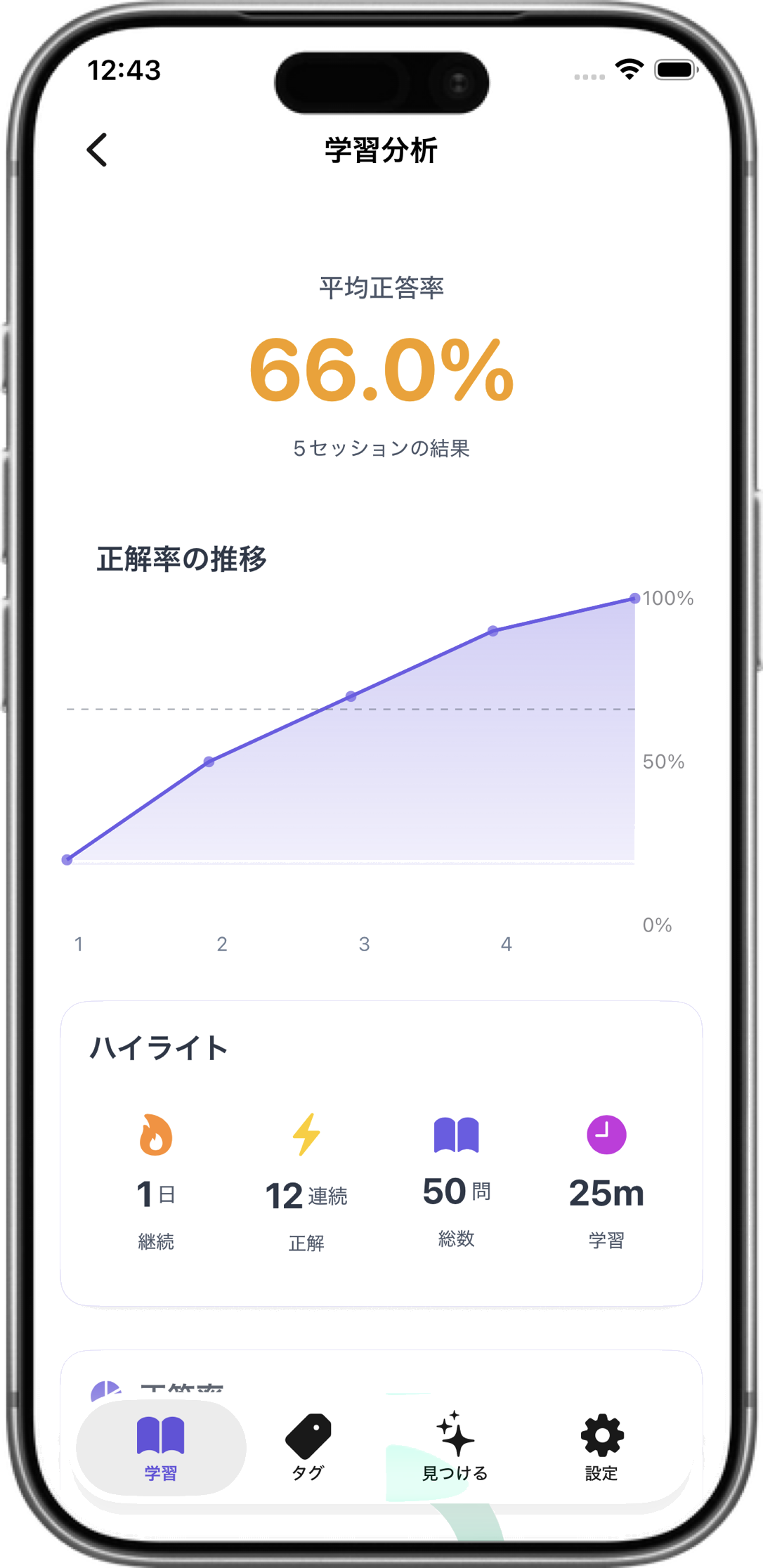
Learning Habit Discovery
Moving average precision trends, weekday/time-based learning frequency, streaks, and other habit-forming indicators.
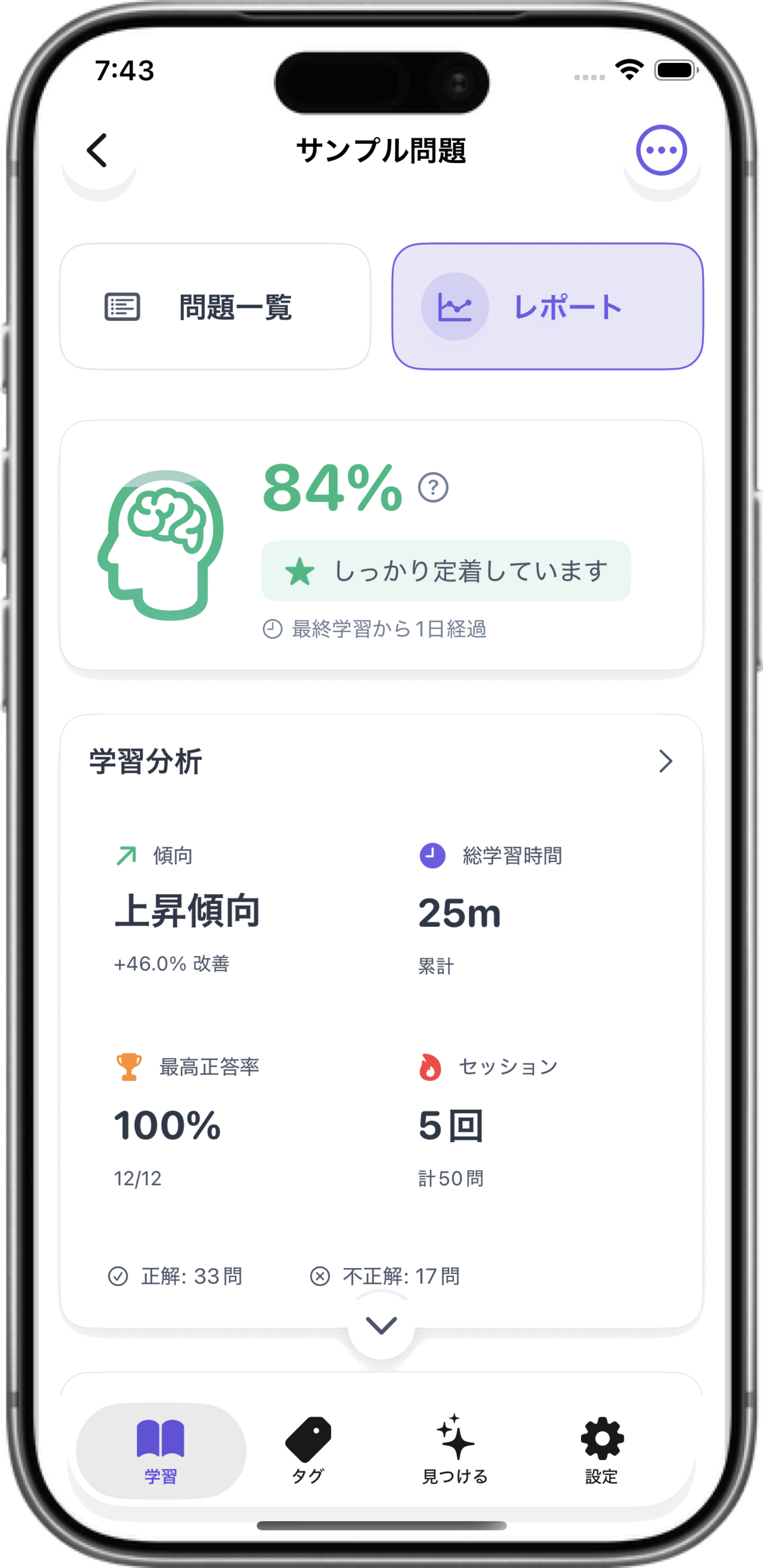
Learning report overview
Deck analytics
Question-level accuracy
Learning habit visualization
Make it truly yours
Personalize everything from themes and session settings to voice reading and language preferences. Osarai adapts to how you learn best.
Themes & Display
Support for light/dark/system settings. Typography and spacing designed with accessibility in mind.
Text-to-Speech
Japanese and English voices with customizable speed and pitch. Choose question only/answer only/both modes.
Session Settings
Question count, time limits, shuffle, re-queue settings to build sessions for your focused time.
Roadmap
Updates planned to make learning more accessible.
In Development
Auto-import from photos is currently in development. Simply take a photo of your textbook or notes to automatically generate flashcards.
Medium-term Vision
CloudKit sync for multi-device collaboration, community deck sharing, voice input, handwriting notes to expand expression.
Long-term Vision
macOS/iPadOS optimization, group learning, AI-powered question generation, AR learning modes for future learning experiences.
Got questions or ideas?
We'd love to hear from you! Share your thoughts, report issues, or suggest new features.
Contact Us (Google Form)